Imagine two recordings played at the same volume setting. One contains a single sharp tap followed by quiet speech. The other contains a sustained instrument with few pauses. Their highest samples can be identical while the instrument feels much louder. Matching the tallest peak does not make the rest of the recordings equivalent.
That difference matters when a simple volume tool offers normalization. Before choosing a target, establish what it measures and what it changes. Handyfold offers sample-peak normalization and fixed gain. It does not measure integrated loudness or promise delivery compliance for a streaming or broadcast service.
The tallest sample sets the gain
In peak normalization, the tool finds the largest absolute sample amplitude and calculates a multiplier that moves it to the requested target. The same multiplier is applied across the recording. The Audacity Normalize documentation describes the peak-based operation and distinguishes setting a level from applying an identical gain to unrelated tracks.
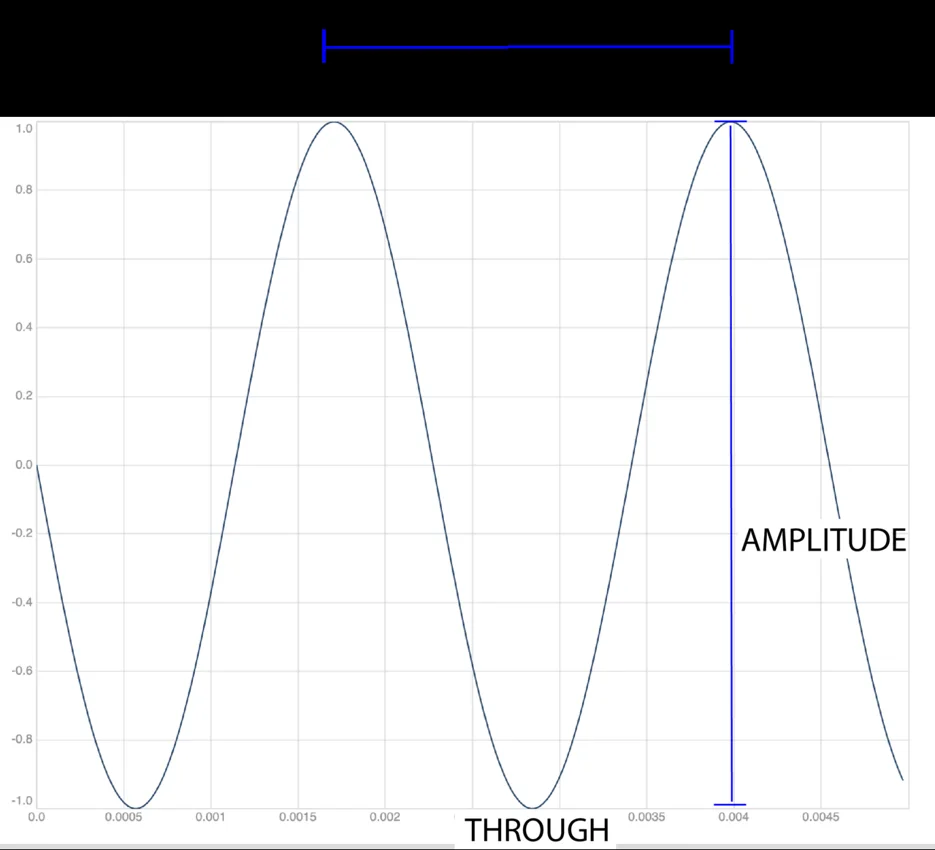
Use a normalized amplitude scale where 1 represents the positive full-scale boundary. A target of minus one decibel corresponds to approximately 0.8913. If a recording’s current sample peak is 0.25, reaching that target requires a multiplier of about 3.565. A sample initially at 0.10 becomes about 0.3565. The quiet and loud sections retain their amplitude ratios.
This calculation explains both the usefulness and the limit. You can make better use of available amplitude range without choosing a multiplier by ear. You cannot make a quiet sentence louder relative to an unusually strong tap with one common multiplier. That would require changing the relationship between parts of the recording, not merely moving the entire signal up or down.
Loudness asks a different question
The Audacity Loudness Normalization documentation describes a separate effect with perceived-loudness and RMS options. Loudness-oriented measurements consider more than the single highest sample. Consequently, equal peak levels are not a substitute for an appropriate loudness measurement when a delivery specification requires one.
Avoid treating a familiar number found online as a universal destination. A spoken memo, a music master and a commissioned broadcast programme can have different requirements. If someone provides a specification, check its units, measurement method and peak limits. A field labeled dB in a sample-peak tool is not a LUFS meter simply because both involve decibels.
There is another boundary within peak measurement itself. Handyfold reports sample peaks. It does not perform a true-peak analysis of a reconstructed signal. A successful run therefore establishes its own reported sample-level result; it does not certify every possible playback chain or compressed export.
Try a controlled adjustment
Open Audio volume & normalize and load the sample. The generated tone has a peak close to 0.25. Leave Peak normalize selected and choose minus one decibel. Run the tool. The report should show a peak close to 0.8913, no clipped samples and the same duration as the source.
Listen at a comfortable device volume. The processed tone should be louder, but its pitch and duration should not change. This is a controlled demonstration of gain rather than a listening test of perceptual loudness. A steady tone is intentionally simpler than speech with breaths, pauses and background noise.
Now select Gain instead. A positive six-decibel adjustment multiplies samples by approximately 1.995. For a sufficiently loud input, some values can exceed the permitted export range. Handyfold reports the number of clipped samples and constrains the saved PCM values. That clipping is a consequence to review, not an extra enhancement that makes the recording better.
Listen for the problem you actually have
If the recording is uniformly quiet, a careful level increase may be enough. If one accidental sound determines the peak while the speech remains difficult to hear, investigate that sound first. If background hiss rises along with the voice, the gain is doing exactly what a common multiplier does: increasing both. Normalization is not a noise-removal process.
For a playlist with inconsistent apparent volume, compare representative passages rather than only peak readouts. For speech with large variations between sentences, consider a tool designed for level riding or dynamics processing. Those tasks require different controls and different judgments. Repeatedly normalizing the same unchanged clip does not solve a mismatch between the measurement and the goal.
Keep the export honest
Handyfold saves a sixteen-bit PCM WAV. That format and the browser’s decoding step are part of the workflow, so preserve the original rather than repeatedly processing exported copies. The tool also does not perform Audacity’s optional DC-offset correction or independent channel normalization; similarities in a button name do not imply identical implementations.
Before sharing, replay the beginning, a quiet passage and the loudest section. Check duration, channel count and the clipping report. Record whether you used fixed gain or a peak target if another person will continue editing. The useful outcome is a known adjustment with understood limits, not an unsupported claim that the audio is now equally loud everywhere or ready for every platform.