You need to send two pages from a longer report. The surrounding pages contain internal notes, so you extract only the relevant section and give the result a new filename. That can be an entirely sensible way to prepare a reading copy. It does not, by itself, establish that every sensitive piece of information has been removed from the new file.
The distinction is between selecting pages and sanitizing a document. They answer different questions. Selection asks which visible pages the recipient should receive. Sanitization asks what information remains anywhere in the delivered file. A safe decision begins by identifying which of those questions your task actually requires.
Three operations that can look similar
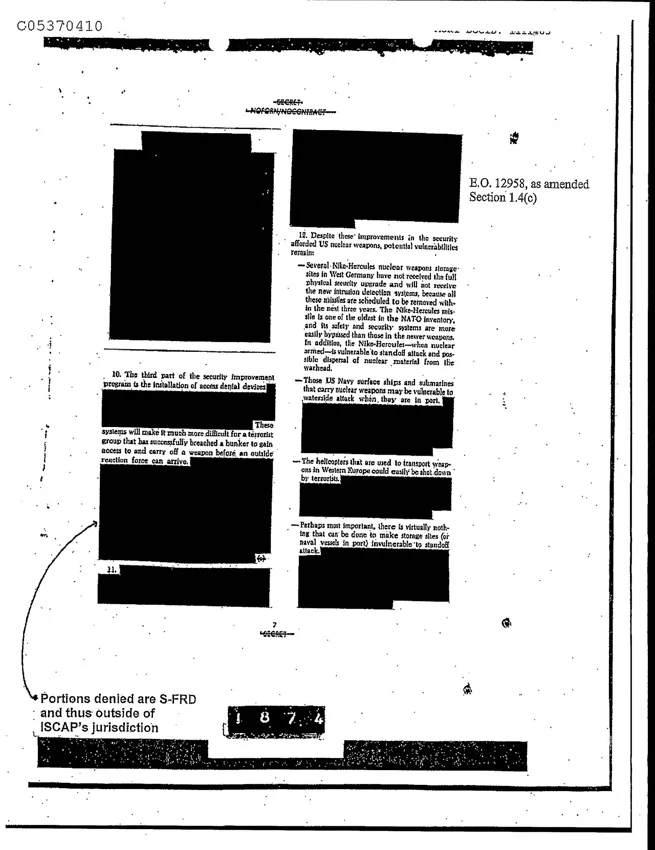
Page extraction creates an output containing selected pages. Masking places something over content, such as an opaque rectangle. Redaction is intended to remove the underlying sensitive material, while a hidden-content cleanup addresses information that may not appear in the normal page view. A black shape on screen is not evidence that the text beneath it has ceased to exist.
Adobe’s redaction tutorial treats permanent removal and document sanitization as explicit actions. Its sanitization guidance also addresses hidden information. These are useful distinctions even when you are not using Adobe software: a general page organizer should not silently inherit the promises of a dedicated privacy tool.
Do not use the size of the exported file as a security test. A smaller file can still contain information you should not send. Conversely, a rewritten or re-encoded file may change size for reasons unrelated to sensitive content. Appearance and byte count provide clues about a document, not a proof of secure removal.
Ask what is sensitive before choosing a workflow
Consider three versions of the same task. In the first, an entirely public manual has forty pages and a colleague wants pages eight through ten. Extraction solves the delivery problem. In the second, those pages include a private email address printed in a footnote. Selecting the pages leaves that visible address in place. In the third, no private address is visible, but the document may contain comments or metadata that require review.
These examples need different handling even though the requested page range is identical. List the information that must not be disclosed and where it could occur. If the consequences of disclosure are significant, use an approved redaction and sanitization process and obtain the required review. A convenient browser tool is not a substitute for your organization’s information-handling rules.
What the local extraction tool actually does
Handyfold Extract PDF pages copies selected pages into a new PDF, using the page-copying functionality described in the pdf-lib document API. Its purpose is selection and splitting. It does not claim secure redaction, hidden-content analysis or a forensic assurance about every object in the resulting file.
Load the four-page example and enter 1,3-4. With One PDF selected, the result contains three pages in that order. With Separate PDFs selected, it produces three individual files. That is the behavior you can verify directly. The operation should reject an out-of-range page, rather than silently treating an invalid request as a complete extraction.
Page numbers in this interface refer to the document’s physical sequence starting at one. A report can print different numbers on its pages, such as roman numerals in its introduction or an appendix beginning at A1. Identify the intended pages visually before translating them into extraction indices.
Review a sharing copy without overclaiming
Open the downloaded output rather than checking only the tool’s success message. Confirm the page count, sequence, margins and visible content. Look closely at headers, footers, tables and photographs that may contain identifying details. Verify that the filename and any accompanying message do not reveal information you intended to withhold.
Searching for a sensitive term or trying to select covered text can expose a failed masking attempt. Such checks are useful warning detectors. They are not a complete security certification: failing to find a word in one viewer does not establish that every hidden representation, attachment or document property has been removed. The strength of the review must match the risk.
Likewise, printing to a new PDF or converting pages to images should not be advertised as a universal privacy shortcut. Those transformations have their own behavior and can reduce searchability or accessibility. Choose a process because its documented guarantees fit the requirement, not because a new file happens to look simpler.
Keep convenience and assurance separate
For ordinary non-sensitive material, page extraction is a useful reduction in clutter. Preserve the original, name the selected copy clearly and make sure the recipient receives the intended version. For sensitive material, establish the required redaction, cleanup and approval steps before distributing anything.
The practical stopping rule is straightforward: if your only evidence is that unwanted pages no longer appear, you have verified page selection. If your task requires a claim that private information is gone, you need evidence from a workflow designed to support that claim. Keeping those statements separate prevents a small organizational task from becoming an accidental disclosure.