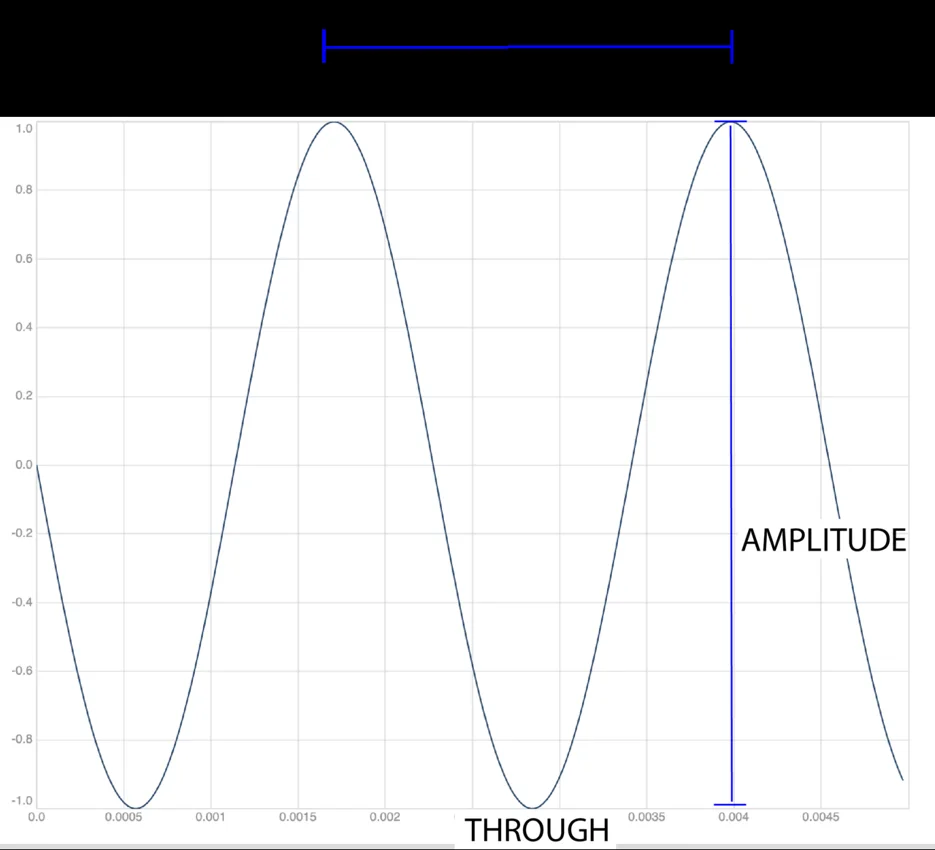
A spoken clip can contain every intended word and still begin with an irritating click. The cut may have removed the lead-in at a point where the signal changes abruptly. A short fade can make that transition gentler, but it can also soften the first consonant if applied carelessly. The right question is not “how long should every fade be?” It is “what transition does this particular edit need?”
Work with a copy of the recording and listen at a comfortable, consistent playback level. Keep enough surrounding material to judge the edit in context. Replaying only a tiny fragment can make an artifact obvious while hiding the fact that the proposed repair damages the sentence.
Locate the click before changing the clip
First compare the edited clip with the original. If the click exists in the source well before the cut, an edge fade may not address it. It could be part of the recording, a handling noise or another defect requiring a different repair. If the click appears only at the new beginning or ending, inspect the edit boundary.
Audacity’s fade and crossfade guide describes short fades as useful for avoiding clicks at clip beginnings and distinguishes several curve shapes. That establishes a technique, not a universal guarantee. A fade changes amplitude over a region; it cannot infer which sounds are wanted and which are accidental.
Avoid placing the cut through an essential syllable just because the waveform looks quiet there. The beginning of an unvoiced consonant may be quieter than the vowel that follows. Moving the edit slightly earlier can preserve the word and give the transition some room, whereas increasing fade duration may make the missing attack worse.
Use a controlled tone to understand the control
Open Audio fade in & out and load the one-second sample. Set a 0.2-second fade at each end and run the tool. The duration remains one second. The amplitude rises from zero at the beginning, stays unchanged through the middle section and falls to zero at the end.
This local tool uses linear amplitude fades. A quarter of the way through an idealized fade-in, the multiplier is about one quarter of its final value. That is not a claim that the sound will be perceived as one quarter as loud. Mathematical curve shape and perceived change are related but different descriptions.
The tool requires the fade regions to fit without overlapping. On a one-second clip, a 0.8-second fade-in plus a 0.8-second fade-out does not meet that rule and is rejected. This makes the available operation explicit rather than silently creating an unexpected envelope across the whole clip.
Return to speech with a narrower purpose
For a spoken introduction, decide whether you are removing a click, making an intentional entrance or fading away a background tail. Those purposes may need very different durations. Start with a restrained adjustment and listen to the whole first phrase. Increase the affected region only if it improves the transition without changing the intended delivery.
At the ending, leave space for the final consonant and any natural decay you want to preserve. A fade that begins before the sentence has finished can sound like a hurried interruption. If the source contains useful room tone, preserve a suitable amount rather than assuming the best ending is an immediate switch to silence.
Write down the source in-point and out-point before experimenting. Handyfold’s Trim audio can prepare the selected region, but repeated trial exports are easier to compare when you know which edit each file represents. A filename containing the chosen start and end is often more useful than a sequence of unexplained version numbers.
Two edge fades are not a crossfade
A crossfade overlaps two audio sections while one fades out and the other fades in. A file ending in silence followed by another file beginning from silence can instead produce a noticeable dip. Handyfold’s joining tool concatenates files; its fade tool treats the start and end of one file. Neither provides a timeline with overlapping clips.
If continuity between two performances is the goal, use an editor with an appropriate crossfade workflow. Listen for changes in ambience and timing, not just the absence of a click. A technically smooth amplitude transition can still reveal a sudden change in microphone position or background sound.
Check the saved file, not just the preview
The Audacity recording and export workflow emphasizes keeping the work safe while editing and exporting. Apply the same practical separation here: preserve the source, save the processed result and reopen that result for a final listen. Handyfold exports sixteen-bit PCM WAV, and input codec support depends on the browser.
Replay the beginning, the last phrase and the surrounding context after any join. Confirm duration and channel count, then compare at a similar listening level so louder does not automatically seem better. A successful repair is a transition that serves the recording while preserving its content. It is not simply a waveform whose endpoints happen to reach zero.